


_2.jpg)

If you’re evaluating online proofing tools, you’re likely dealing with scattered feedback, delayed approvals, and too many versions floating around. The goal here isn’t just to "review files." It’s to bring structure, accountability, and speed into your approval process.
In this article, we’ll look at top proofing tools such as Artwork Flow and PageProof to find where each fits best.
Product overview
Even though both tools fall under the proofing category, they’re built for very different purposes.
Artwork Flow
Artwork Flow is an AI-powered platform built for packaging artwork management, delivering precise proofing, compliance checks, and streamlined approvals tailored to regulated industries like food and beverages, cosmetics, pharmaceuticals, and agrochemicals. With features like customizable workflows and analytics, it accelerates market entry while cutting down errors.
.webp)
PageProof
PageProof is a versatile online proofing tool designed for creative teams working across various formats. It specializes in collaborative markups, audit trails, and integrations with tools like Adobe Creative Cloud, making it great for reviewing videos, banners, and general design assets. While powerful for broad creative workflows, it lacks deep specialization in packaging compliance.
Features: Artwork Flow vs PageProof
Proofing and annotation
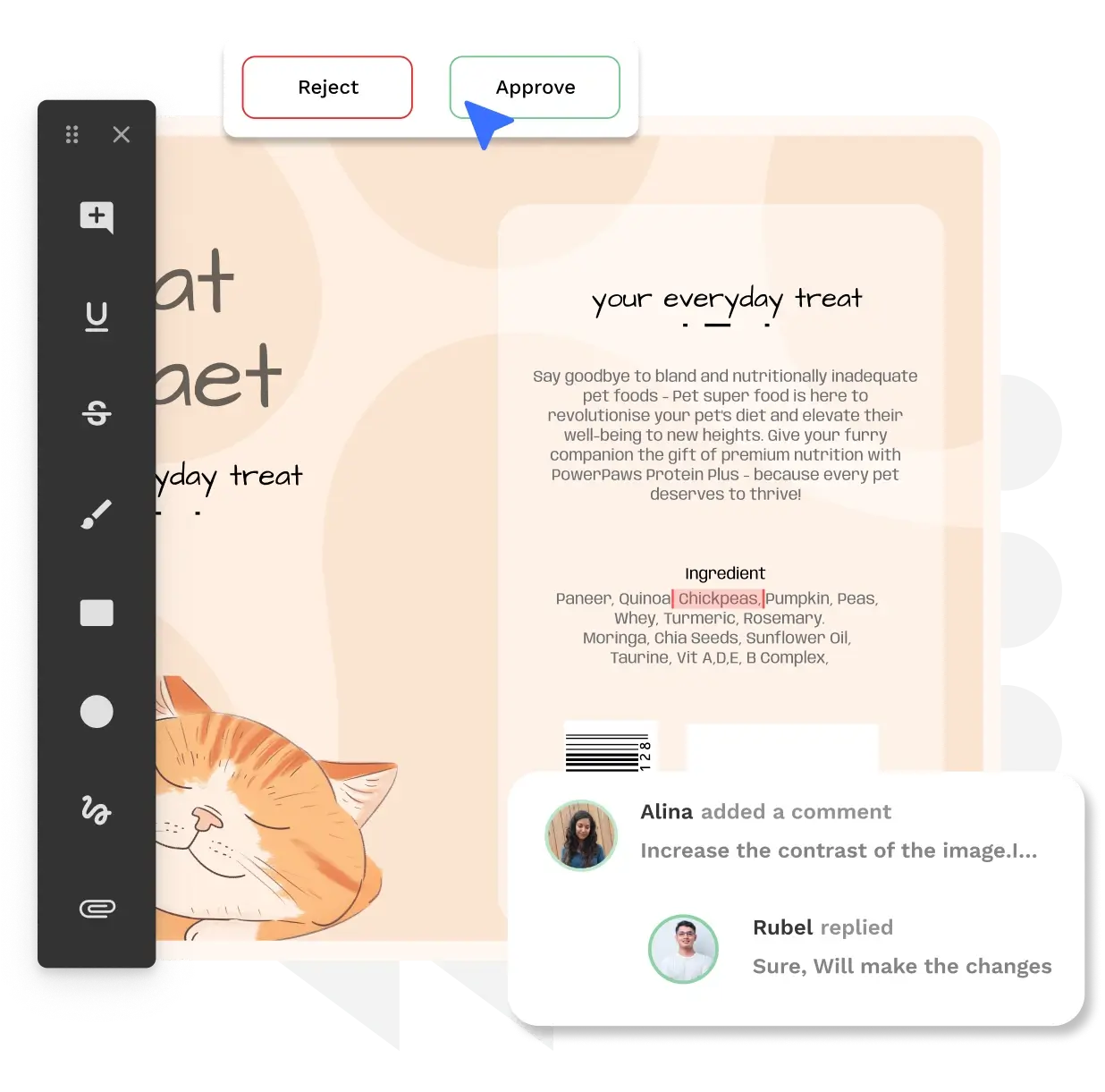
Artwork Flow offers AI-powered proofing with up to 6000% zoom, allowing teams to catch even the smallest errors in packaging artwork. It renders files instantly regardless of size and supports a wide range of formats, including pack shots, print proofs, and inserts. The platform also includes five advanced annotation tools that make it easier to give precise, contextual feedback directly on the artwork.
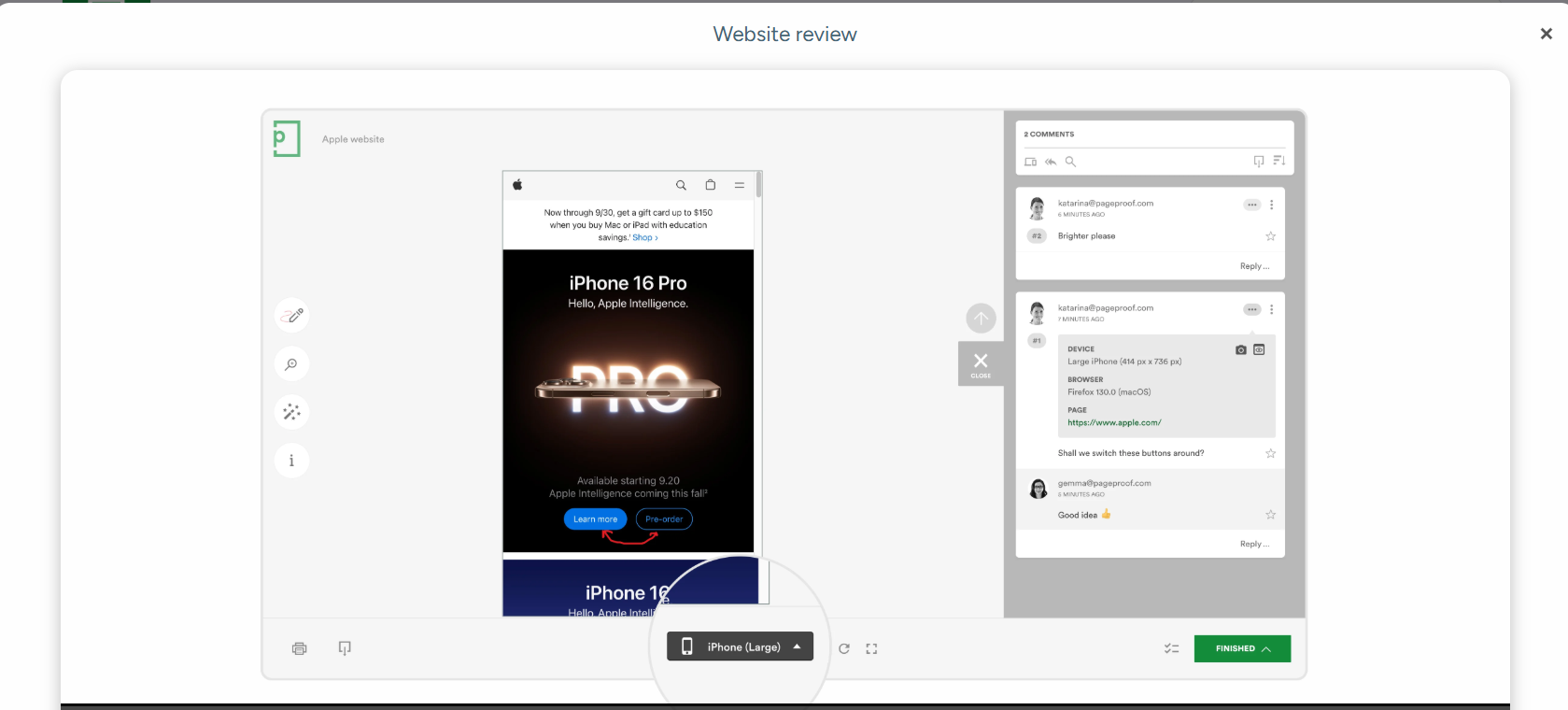
PageProof, on the other hand, focuses on flexibility across formats. It offers markup capabilities for video, websites, email, and audio, making it well-suited for creative teams handling diverse digital assets.
Verdict: PageProof suits well for multimedia content. But for packaging workflows where small errors matter, Artwork Flow’s precision tools are significantly more reliable.
AI and compliance checks
Artwork Flow's smart compliance feature is designed for real-world packaging challenges. It automates checks for allergens, barcodes, nutrition panels, and other regulatory elements using customizable playbooks tailored to brand and labeling requirements.
It also includes a built-in barcode and QR code scanner that verifies UPC and EAN codes, along with smart suggestions to help teams fix issues quickly.

PageProof includes basic barcode and QR scanning along with smart checks for metadata and content credentials. While useful, it stops short of offering suggestions for errors.
Verdict: Artwork Flow has a clear edge here. It doesn’t just highlight issues but helps resolve them, which is critical when errors can lead to costly reprints or compliance risks.
Version control and audit trails
Artwork Flow maintains a complete version history, making it easy to track changes, compare versions, and revert when needed. With visual comparison modes (side-by-side, difference, and flicker) and a single source of truth, it helps teams avoid version confusion and ensures the right file moves to production. It also logs every action, giving teams full traceability during approvals and regulatory reviews.

PageProof offers smart compare with auto-detected differences, along with side-by-side comparisons and audit trails to track feedback and approvals across versions.
Verdict: Both tools handle version tracking well. Artwork Flow stands out with more controlled version management and easier rollback, making it a better fit for packaging workflows where accuracy and traceability are critical.
Spell check and color check
Artwork Flow supports spell checking in over 38 languages, which is especially useful for global brands managing multi-region packaging. It also includes overprint mode and provides visibility into CMYK separations, Pantone shades, and ink coverage, helping teams validate how colors will appear in print before production.

PageProof provides basic spell checking for US and UK English, but stands out with its advanced ColorSep® feature. This provides a detailed analysis of CMYK separations, Pantone colors, ink coverage, and contrast levels for better legibility.
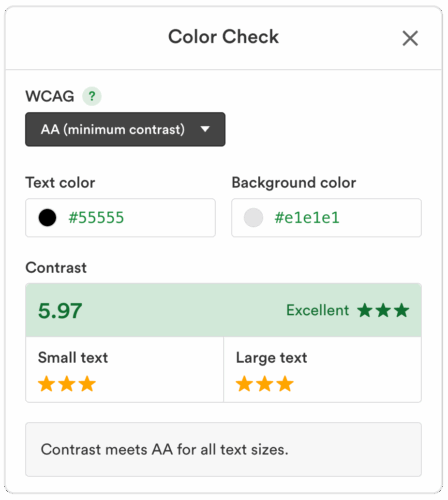
Verdict: Both tools offer strong color validation capabilities. Artwork Flow combines this with broader language support and packaging-focused checks.
Workflow automation and metadata
Artwork Flow is built for structured, multi-stage workflows at scale. It combines custom checklists, e-signatures, automated routing, and smart tags to organize assets and manage metadata efficiently.
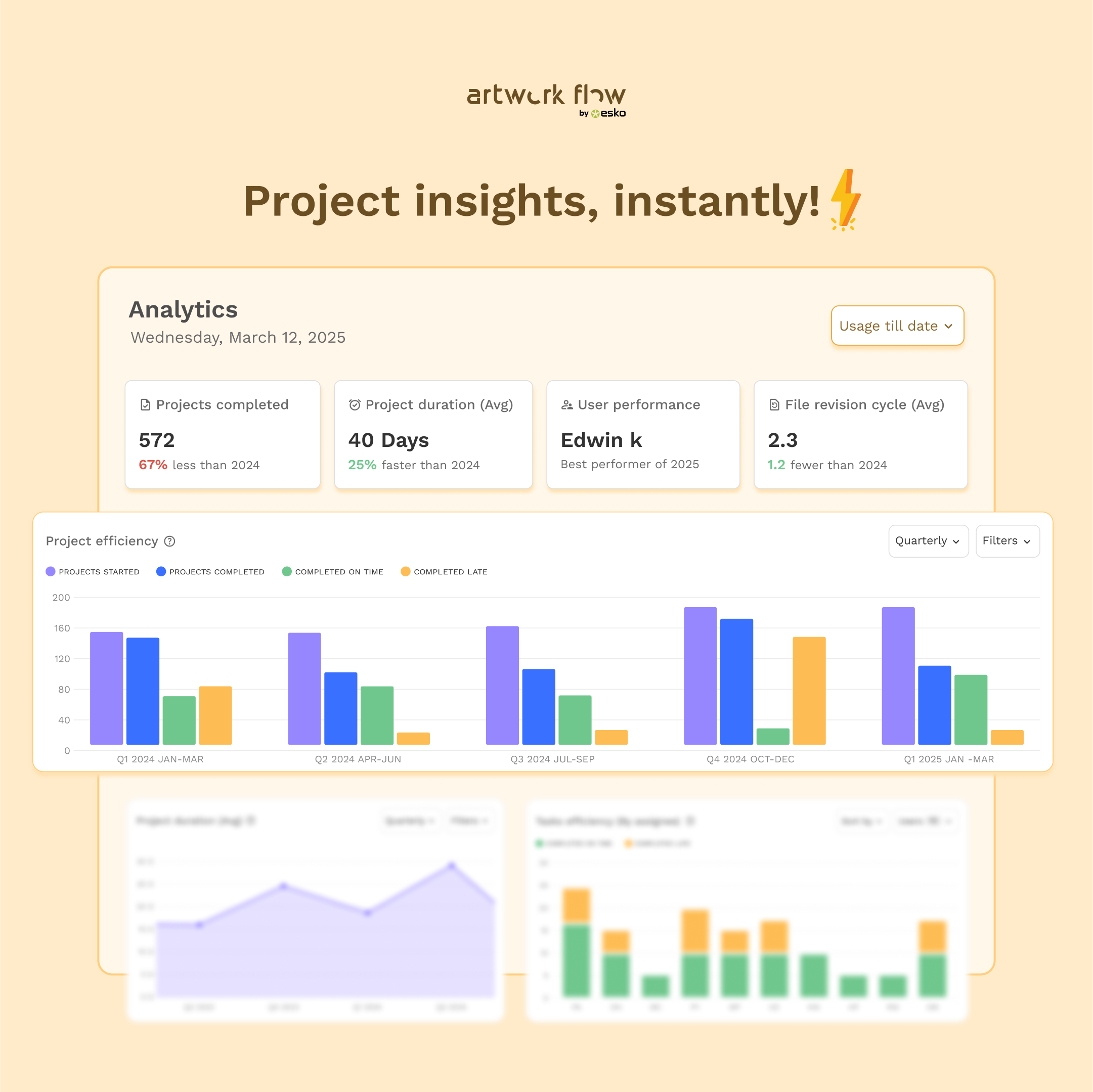
Its analytics dashboard gives teams clear visibility into tasks, user performance, and project risks. You can also track progress, generate reports, and export audit logs, making it easier to trace artwork changes during regulatory follow-ups.
PageProof includes smart tags and file-level insights to help organize assets and surface key properties like dimensions, fonts, and colors. It also helps teams track how proofs move through the workflow, identify bottlenecks, and improve turnaround times.
Verdict: Both tools offer workflow visibility with automation and analytics. Artwork Flow stands out with deeper project analytics (file revisions, project completion rates, and task efficiency) and structured metadata management, making it a better fit for teams that need efficiency with traceability.
Integrations
Artwork Flow integrates with tools that support packaging and artwork workflows at scale. It is now available on the Esko Cloud as WebCenter Go, helping teams to connect with broader packaging ecosystems. Through integrations like TraceGains, teams can simplify the flow of product and compliance data directly into their artwork processes, reducing manual effort, and improving accuracy.
PageProof offers a wide range of integrations tailored to creative workflows, including Adobe Creative Cloud and project management tools. It also integrates with Specright, allowing teams to connect product specification data with their proofing process.
Verdict: PageProof offers flexibility across creative tools, while Artwork Flow (via WebCenter Go) is better aligned with packaging and compliance ecosystems, making it more suitable for teams managing regulated product workflows.
Reviews and ratings
Artwork Flow
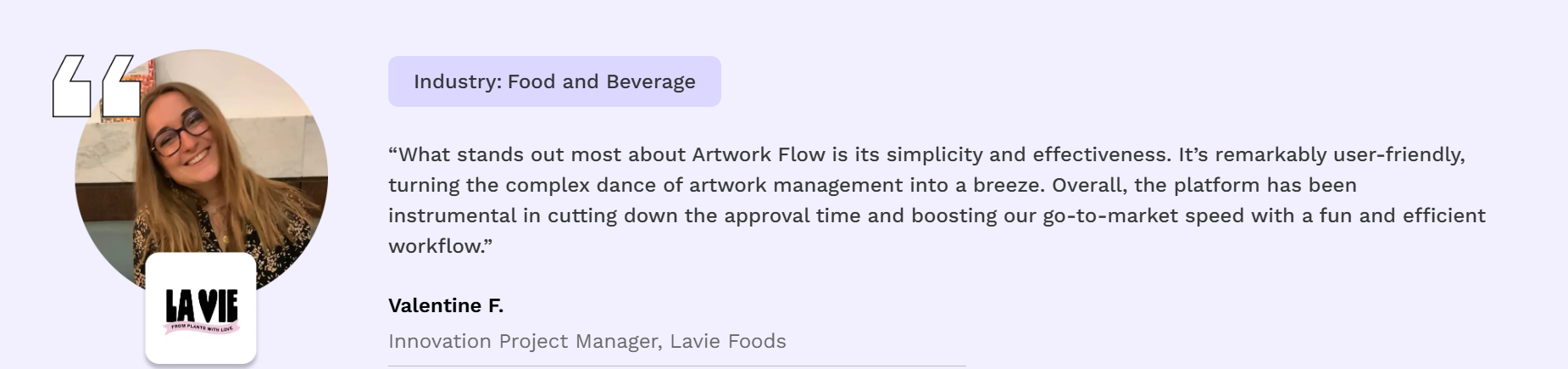
G2 Rating: 4.8/5
Pros
- Built for packaging teams with industry-specific use cases in mind.
- Offers different types of free proofing tools such as online spell check, artwork PDF compare, online measurement scale, font finder, etc.
- Allows users to set up custom workflows and checklists for streamlined approvals.
- AI-enabled tools to spot branding and packaging compliance errors, ensuring consistent branding and compliance across creatives.
- Automated version control.
Cons
- Video proofing feature can be improved in terms of speed.
- No mobile application.
PageProof
G2 Rating: 4.8/5
“It is so helpful to be able to have one place where routing is done. I love that it integrates very seamlessly to our workflow management software Asana, which allows us to easily keep track of our projects as they circulate. Before our process was trully a mess, and Pageproof fixed everything. I use Pageproof to proof large sets of creative assets of many sizes pretty much every day, and I love how easy it is to upload a collection and save workflows”.
Maya L, UX/UI and Digital Production Designer
Pros
- Easy and intuitive to proofread projects.
- Smooth onboarding for external reviewers.
Cons
- Users have flagged a lack of organization in the asset library.
- It is not possible to archive files. To upload new ones, you must manually delete the existing files.
Final verdict
If your proofing needs are purely creative, both tools will get the job done.
But once your workflow involves packaging, compliance, or high-cost errors, the difference becomes more obvious.
Choose Artwork Flow if:
- You work with packaging, label artwork, or leaflets.
- Compliance and accuracy are critical.
- You need a structured approval system across teams.
- You want AI to not just flag the errors but actively reduce them.
Choose PageProof if:
- Your focus is on marketing, websites, videos, or any other digital content.
- You need strong multimedia proofing.
- You prefer a lightweight, flexible review tool for collaboration.
Next step
If you work in packaging and your proofing process directly impacts production, compliance, or time-to-market, Artwork Flow is a more viable choice. It can bring structure and surgical precision to every stage of the artwork approval process.
If that’s where your bottlenecks are today, it’s worth taking a closer look.
Book a personalized demo with our experts to learn more.


